.png)
Forming and Joining Teams
Some competitions require teams of 2 or more to participate. In these cases you will need to invite teammates to meet the minimum competition requirements.
Creating a new team
If you are the first person on your team to register, you will be creating a new team and become the team leader. The team leader does not have additional responsibilities other than the ability to add and remove members during the registration period. If your team is created by a teacher, they will take the team leader role.
- Login to app.algoed.co/login
- Join the competition you want
- Click “Register new team”
- Fill in required information in the popup. Please ensure your name and school are entered correctly, as they will be printed on your certificate.
-
Fill in your teammates' email(s) in the 'Enter teammate's email' textbox on the competition page and press 'Send invite'.
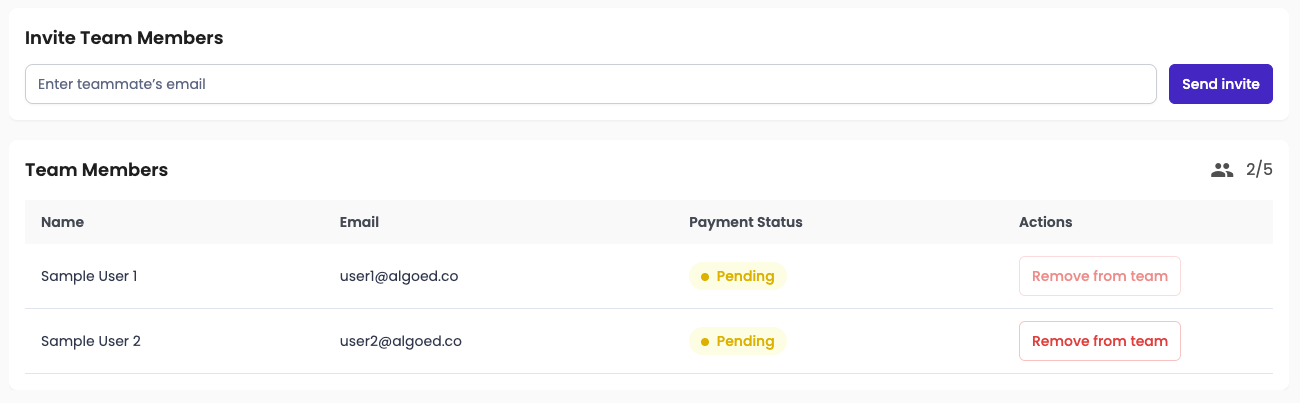
- Your teammate will receive an invite email which they will need to accept to join your team.
Joining a team
Method 1
- Press 'Accept' on the invite email sent by your teammate
- Login to the portal on the redirected link or sign up for an account
-
Click 'Accept' on your team
Method 2
- Log in at app.algoed.co/login
- Click the notification bell at the top-right corner of the page
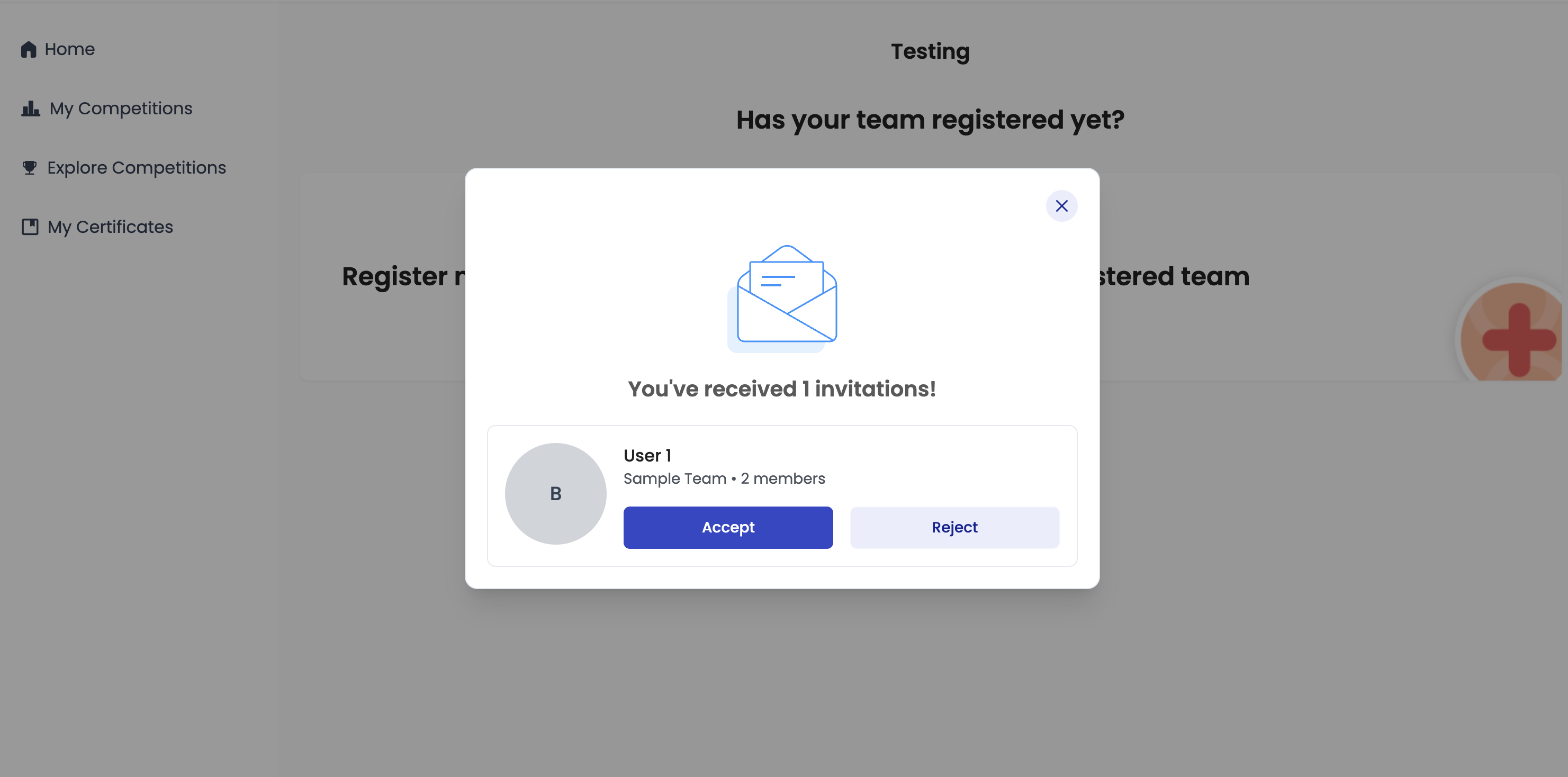
- You’ll see a pop-up showing your team invitation — accept it