.png)
School Portal - General Questions
1What is the AlgoEd School Portal for?
The School Portal (school.algoed.co) lets teachers and coordinators register student teams, track registration and payment, and view results and certificates for their whole school in one place.
2I manage more than one school. How do I switch?
Use the school selector at the top right of the page.
The students, teams, and results shown will be for the selected school.

3Where can I see my students’ results?
You can view your students’ results by following these steps:
- Log in to the School Portal and go to "Dashboard".
- Click the competition name.
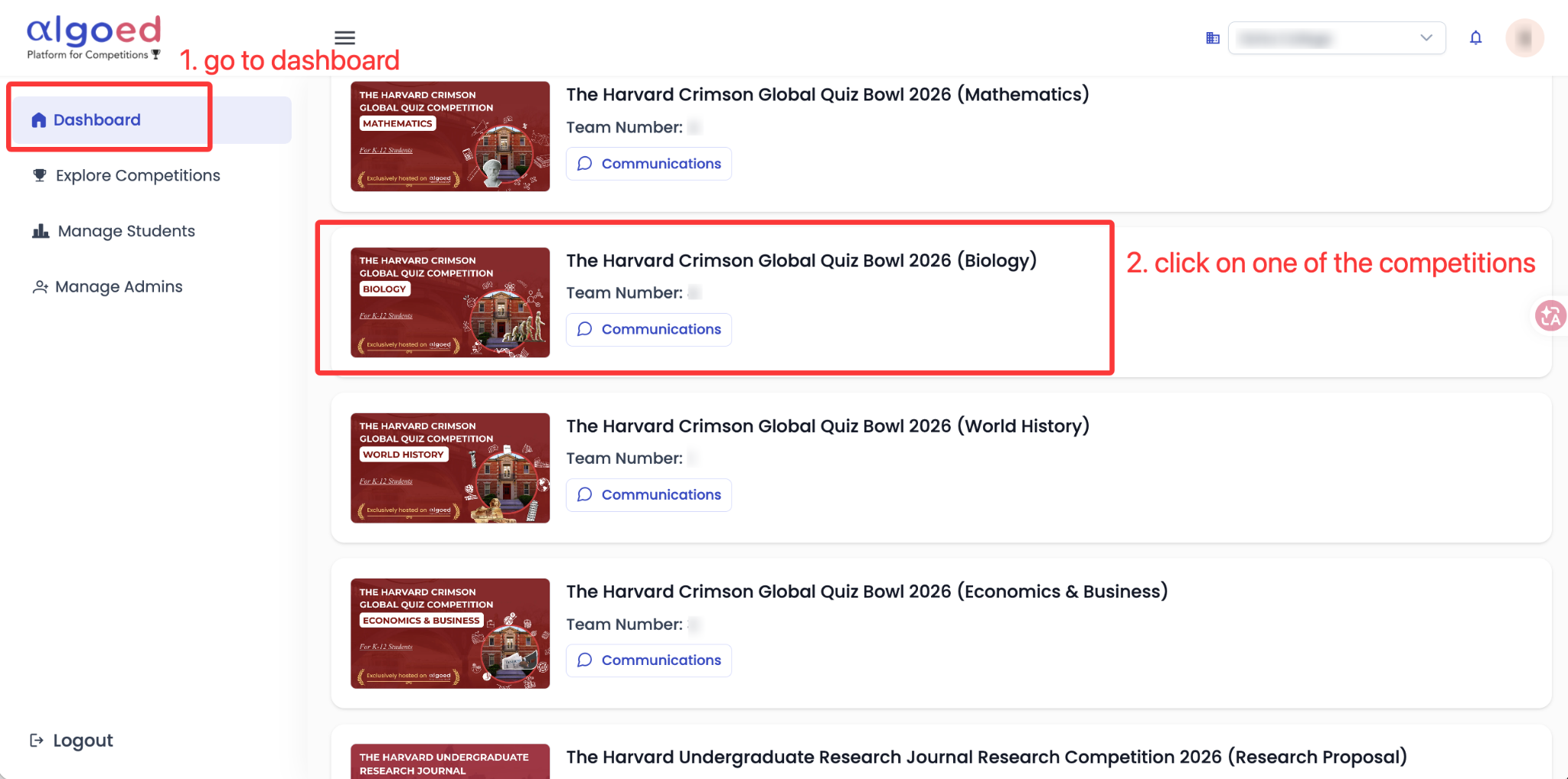
- Select the round you want to view, then scroll down to see the results.
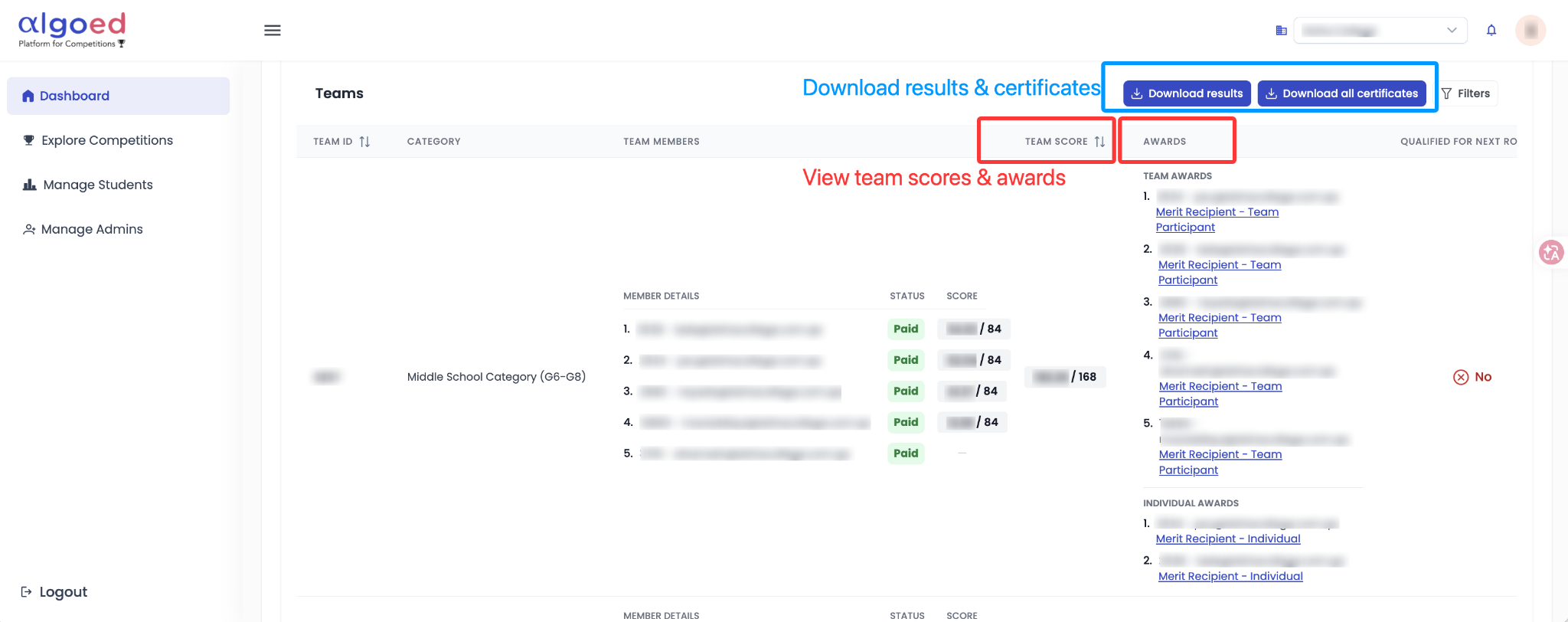
4How do I export the results?
Option 1 - Single Competition:
- Go to "Dashboard" and click the competition name.
- Select the round tab: "Preliminary Round", "Semifinal" or "Final". A round with a lock icon has not opened yet.
- Scroll down to the "Teams" table.
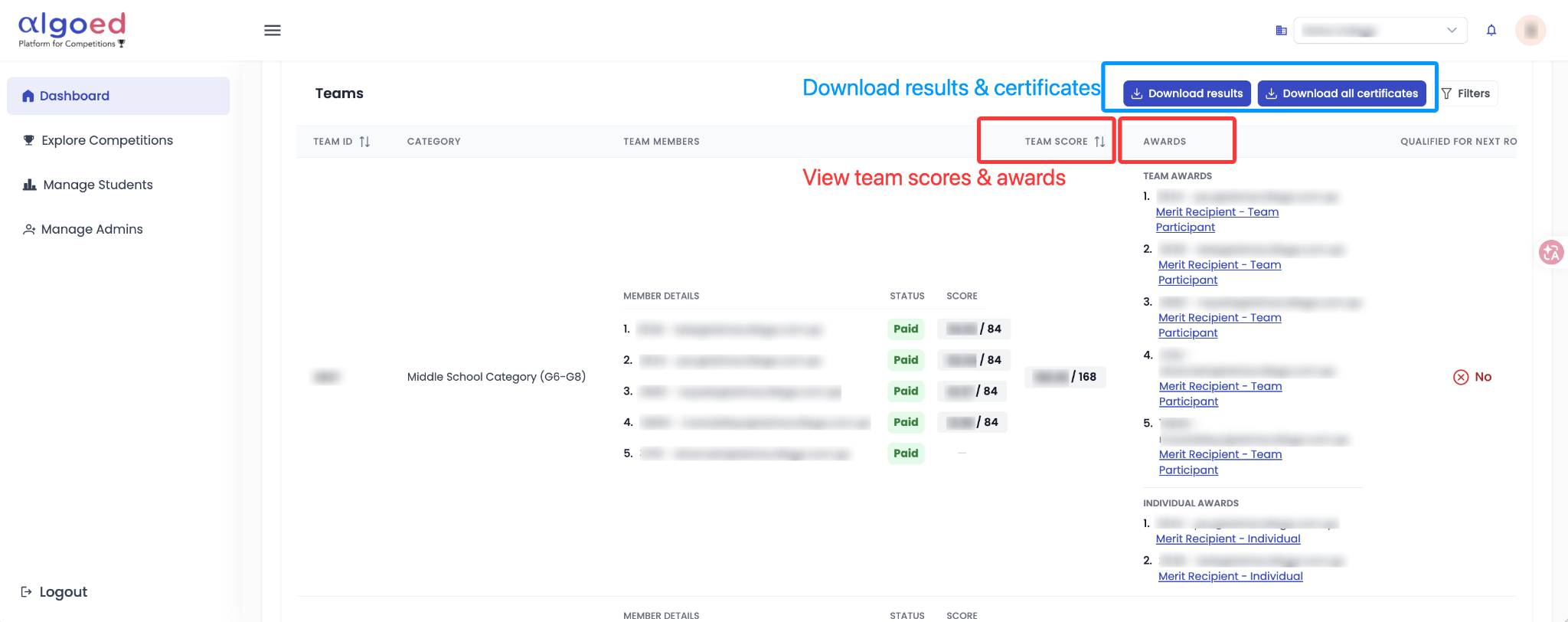
Option 2 - Multiple Competitions:
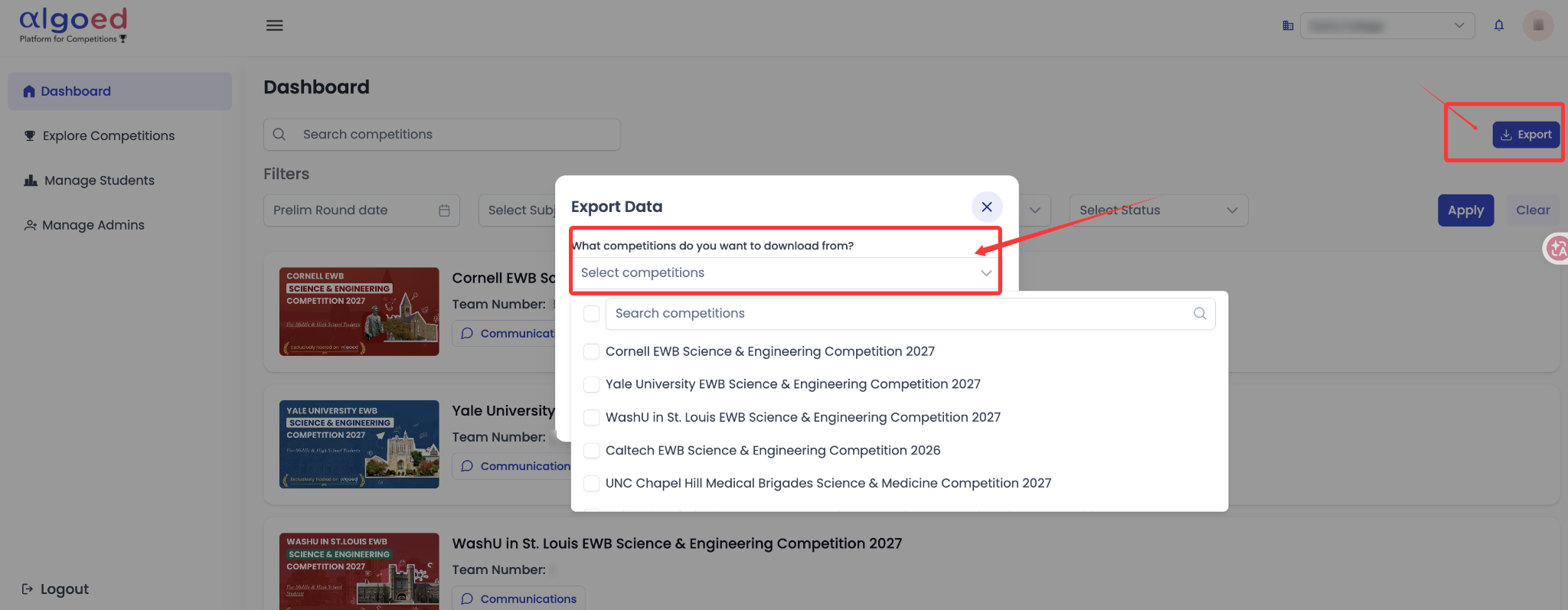
On the "Dashboard", click "Export" at the top right. Select the competitions you’d like to export results for, then click "Download".
5Where can I find the round instructions to notify my students?
Open the competition from the "Dashboard" and select a round tab.
The "Instructions, Samples & Practices" section includes the same dates, times, rules, and technical support information that your students see.

6How do I share competitions with students or parents?
On "Explore Competitions", click "Share This Page" to share the full list, or the share icon on a competition card to share a single competition.
