.png)
Registration - How to Register Students
1How do I find a competition for my students?
Go to "Explore Competitions". You can filter competitions by grade level, subject, preliminary round date, format, type, or registration stage.
Click "View Details" to see the full competition page.

2How do I register a team?
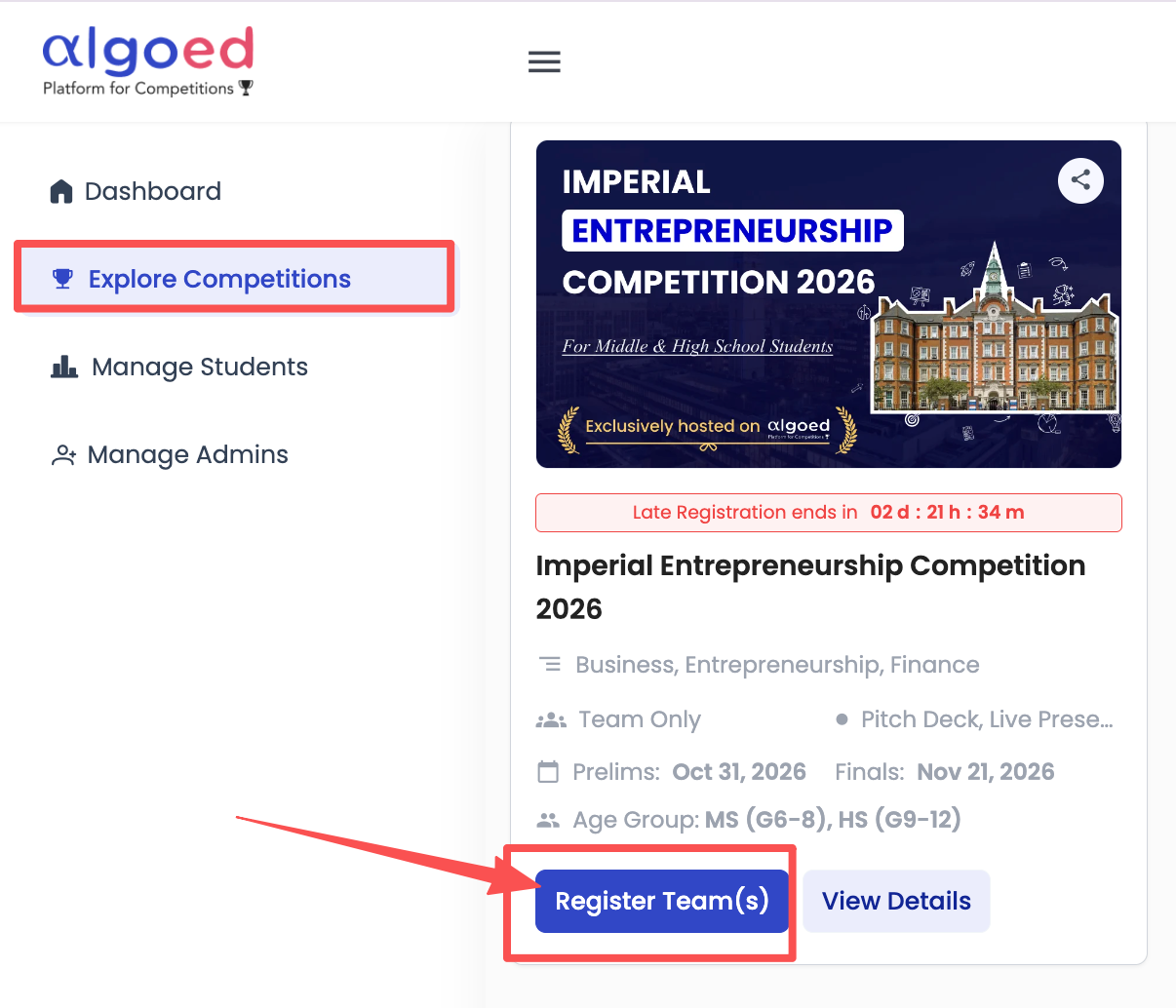
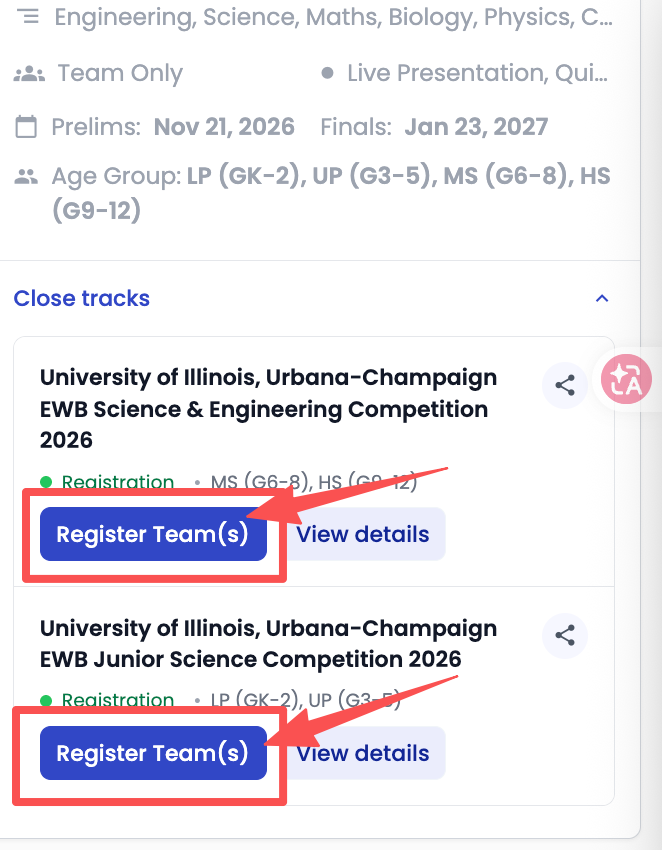
- On the competition card, click "Register Team(s)". For competitions with more than one track, click "Explore tracks" first and select the appropriate track for your students’ age group.
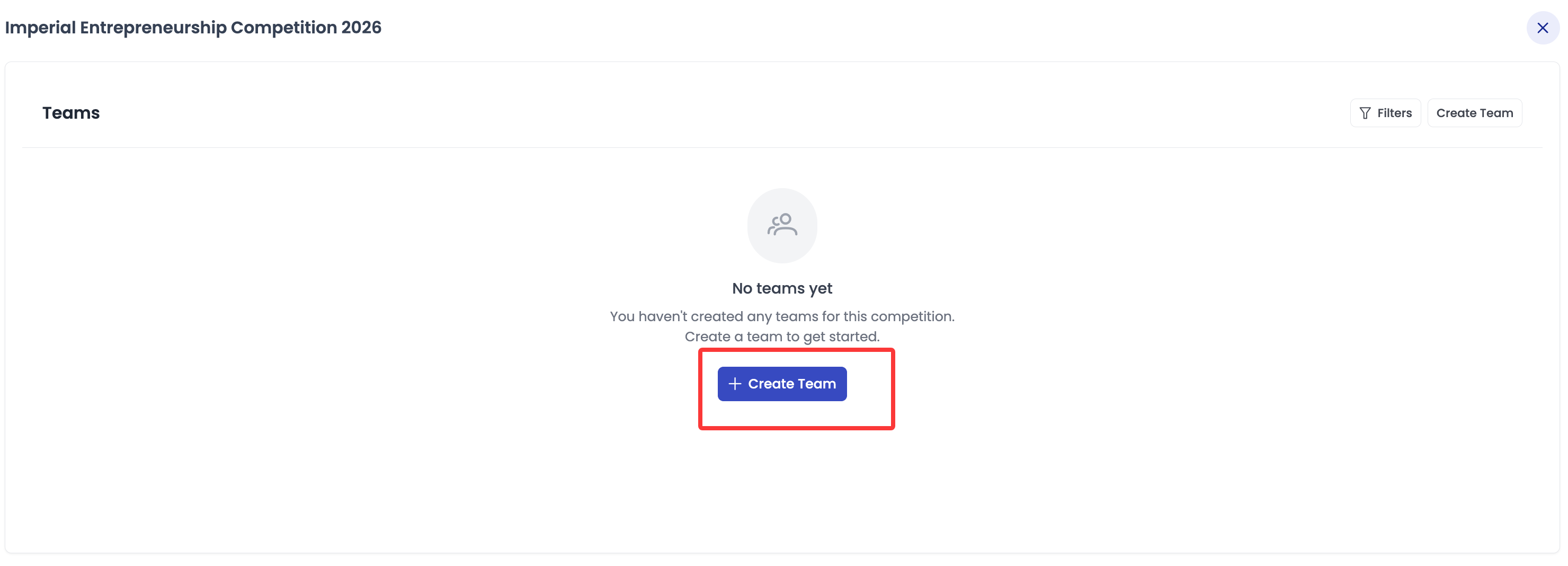
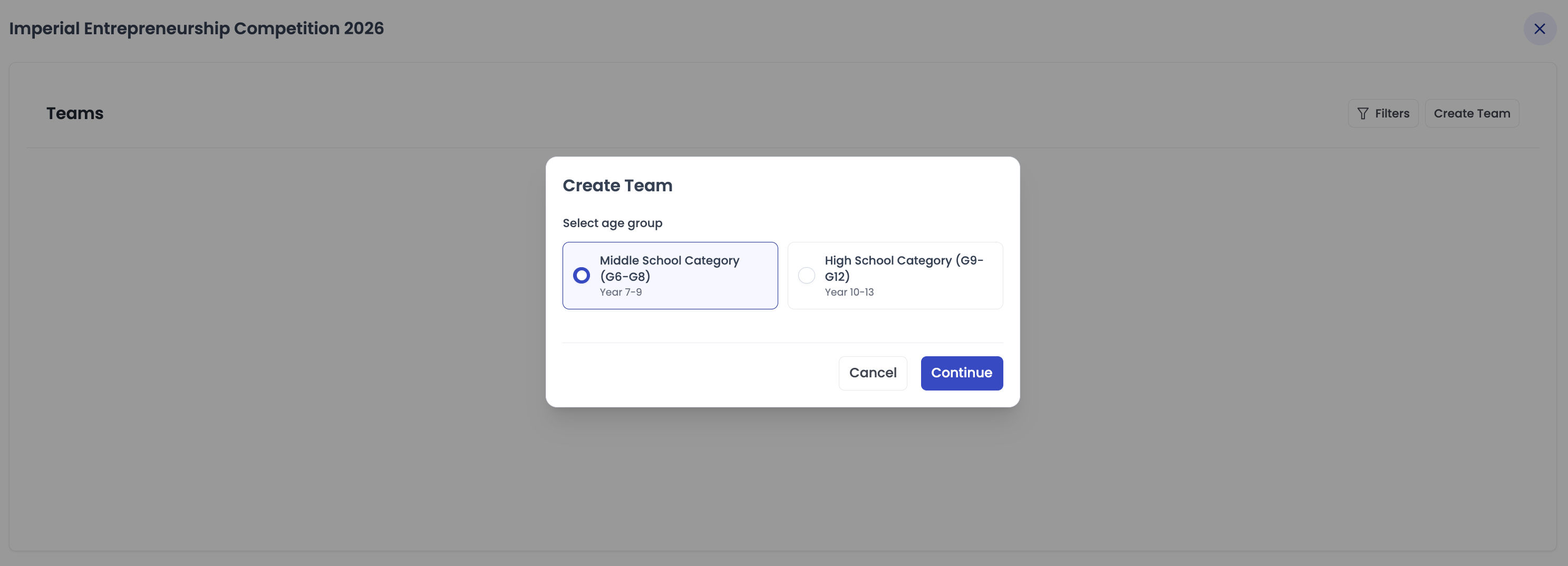
- Click "Create Team", select the team’s age group, then click "Continue".
- In "Manage Team", choose students from your school list under "Select from students" and click "Add Member(s)".
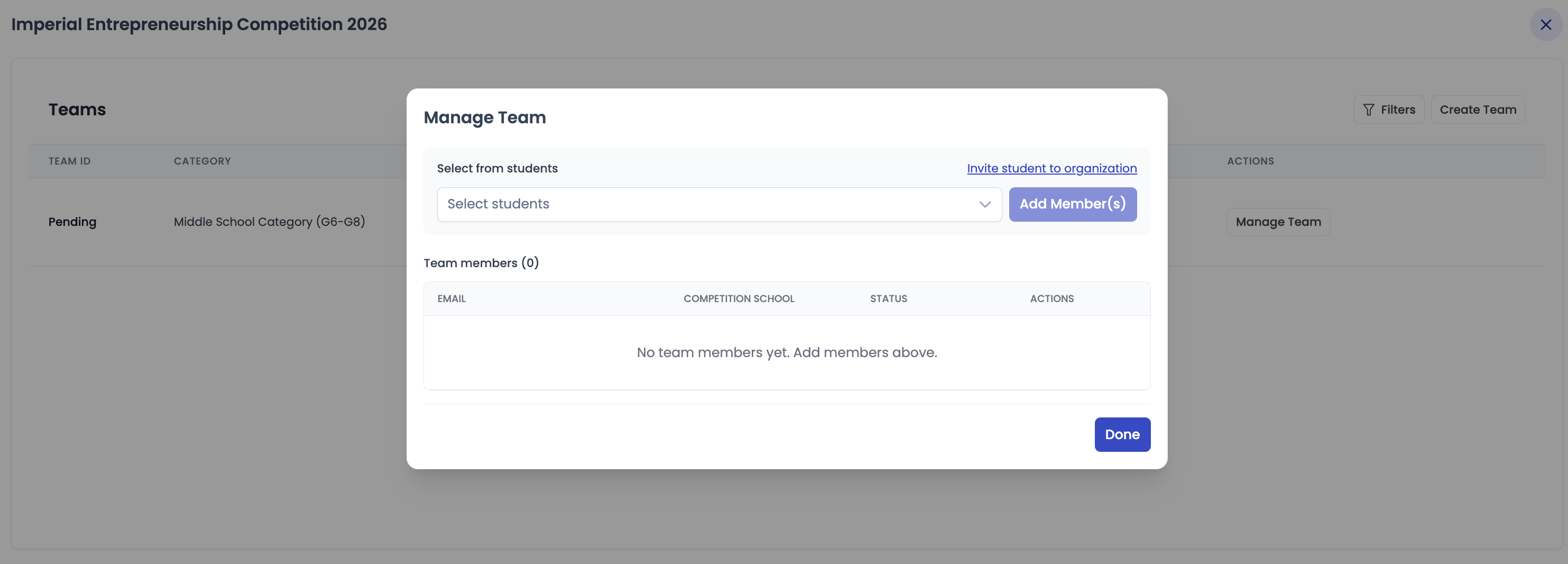
- Repeat until all team members have been added, then click "Done".
3A student is not in my list. What should I do?
Click "Invite student to organization" in the "Manage Team" window, or add them under "Manage Students" first. The student will then appear in the list.
4Which age group should the team register for?
Please select the category based on the grade each student will be in when the competition begins. If your school uses a different naming system, choose the closest equivalent grade.
| Category | Grade | Year (UK system) |
|---|---|---|
| Lower Primary | Kindergarten – Grade 2 | Years 1 – 3 |
| Upper Primary | Grades 3 – 5 | Years 4 – 6 |
| Middle School | Grades 6 – 8 | Years 7 – 9 |
| High School | Grades 9 – 12 | Years 10 – 13 |
Team members may be in different grades or age groups. However, the team must register for the category of its highest-grade member, based on their grade when the competition begins.
5How do students pay the registration fee?
After you add a student to a team, they will receive an email with a payment link. Each student completes their own payment on the AlgoEd student platform.
You can check each student’s payment status in the "Status" column in each competition.

6Can the school pay for the students?
You can pay for students by going to the "Dashboard", opening the competition, and selecting "Teams". You can pay for a single team or multiple teams at once.

If your school would like to pay for all students together, please email support@algoed.co with the competition name and number of teams. We will send you an invoice.
7How do I know if a team’s registration is complete?
On the "Dashboard", open the competition and select the "Registration" tab. The "Registration Requirements Met" column will show:
- "Met": The team has met all registration requirements.
- "X Actions Required": The number of actions still required, such as completing payment or adding more members.
Click "Manage Team" to add or remove members.

Important: For competitions requiring 2–5 members per team, all team members must complete payment before the competition begins. If only one member of a multi-member team has paid, the team’s registration will remain incomplete, and the team will be disqualified when the competition begins.
8When is the registration deadline?
Each competition card shows a countdown for the current registration stage: "Priority", "Regular", or "Late Registration".
Registration fees may differ between stages, so we recommend registering early.